Controlled Uncontrolled Network
Rebuilding a working homelab like I had inherited somebody else's neglected environment
10.1.x.x server references, and API-driven NetBox source of truth
Project Summary
This project started with a network that worked.
That is important, because I was not trying to prove I could build a clean lab from scratch. Building from scratch is the easy version. There are no old assumptions, no mystery firewall rules, no forgotten services, and no users depending on whatever weird thing you are about to delete.
I wanted to practice the harder version: walking into an environment that had been maintained for a while, still mostly worked, but had accumulated enough technical debt that it was getting harder to explain why it worked.
So I intentionally let my homelab drift in a controlled way. I did not randomly break it. I kept the services usable, but I let normal maintenance debt pile up: old subnets, temporary rules, moved services, stale scripts, old proxy targets, migration profiles, and broad access that had once been convenient.
Then I treated the environment like I had inherited it from somebody else.
The job was to discover what was actually there, redesign the trust model, migrate live systems without flattening the network, find hidden dependencies, remove the old architecture, add IPv6 without weakening the security model, and finally document the current environment in NetBox as a source of truth.
The end result is not interesting because there are a lot of VLANs. The useful part is that I can now explain the path between any two important systems, why that path exists, and what is supposed to happen when it is tested.

1. Why I Built a Mess on Purpose
Most homelab write-ups show the network after everything has already been cleaned up. Every VLAN has a good name, the diagram looks intentional, and every service appears to have landed in the right place the first time.
Real environments usually do not look like that.
They accumulate decisions. A server gets moved. A new rule gets added because something has to work that night. A temporary switch profile stays around because nobody wants to touch it after the migration. A reverse proxy entry keeps pointing to an address that made sense six months ago. A helper script still knows about a retired network because it has not been opened since the original deployment.
None of those things automatically make a network bad. The problem is what happens when enough of them build up that the environment becomes difficult to reason about.
That was the condition I wanted.
I allowed technical debt to collect while keeping the network functional. The goal was to create a realistic troubleshooting and remediation problem without putting production systems or somebody else's business at risk.
At the start of the project I could still use the network, but simple questions were starting to take too long to answer:
- Why can this client reach that server?
- Is this firewall rule still required?
- Is this old IP address actually dead?
- Which system owns this application now?
- Does this switch profile still serve a purpose?
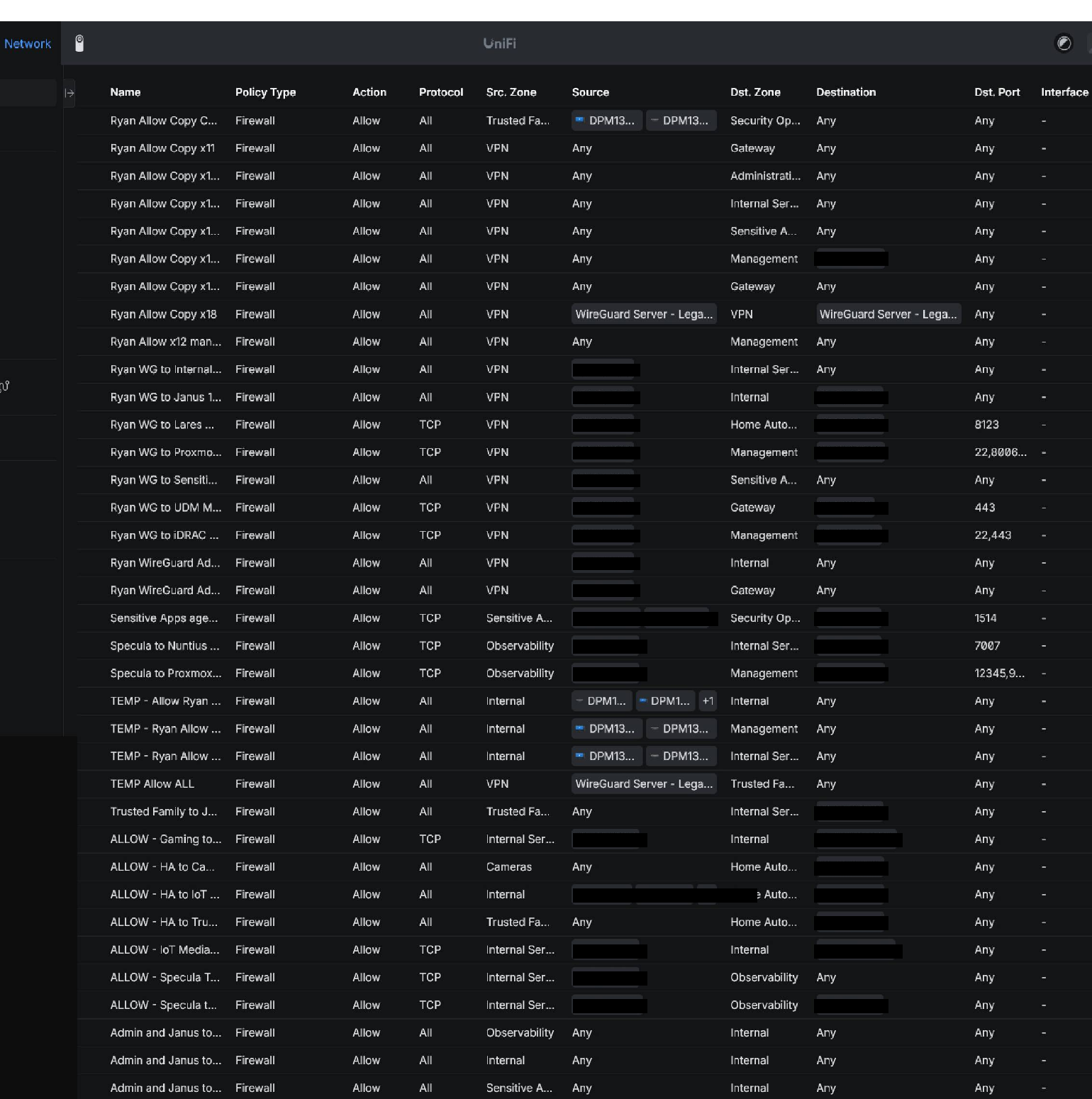
- Is this traffic allowed because I designed it that way, or because an old broad rule happens to permit it?
That last question became the real theme of the project.
2. What I Actually Walked Into
The old environment was not completely broken. That made the work harder, not easier.
If everything is down, you can tear it apart and rebuild. When almost everything works, every cleanup decision can break something that somebody actually uses.
The technical debt fell into a few major groups:
- Addressing drift: The original addressing and network layout no longer represented the roles of the systems living inside it. The old
10.1.x.xnetworks had grown into general-purpose buckets. Management, servers, monitoring, security tooling, household clients, and lab systems had different trust requirements, but the old layout did not describe those differences very well. - Policy drift: Access policy had drifted. There were broad firewall rules, duplicated rules, temporary migration rules, and old naming patterns that made it difficult to distinguish permanent design from one-time troubleshooting.
- Application configuration drift: The applications themselves had moved over time. Nginx targets, helper scripts, allowlists, Docker filtering, monitoring configuration, and deployment scripts contained references to systems that had new addresses or no longer lived where the configuration expected them.
- Physical migration residue: The physical network still contained migration residue. Trunk profiles and access-port profiles that had been useful during the transition were not automatically good permanent configuration.
The network was therefore a mix of several different layers of history:
- the architecture I wanted now;
- the architecture I had used before;
- temporary configuration that made migrations possible;
- stale configuration that had not been touched because nothing obvious was broken.
The first lesson was simple: deleting the old VLANs would not be enough. The old architecture would remain alive anywhere that active configuration still depended on it.
3. Guardrails Before I Changed Anything
Before the rebuild started, I wrote down a few rules for myself. These were more useful than any individual firewall rule because they gave me something to test every change against:
That last rule became the finish line for the IPv4 migration.
I did not consider the old network gone because the new networks existed. I considered it gone when active server-side configuration no longer referenced the retired 10.1.x.x space.
4. Discovery Before Design
The rebuild did not start by creating VLANs. It started by trying to understand what already existed.
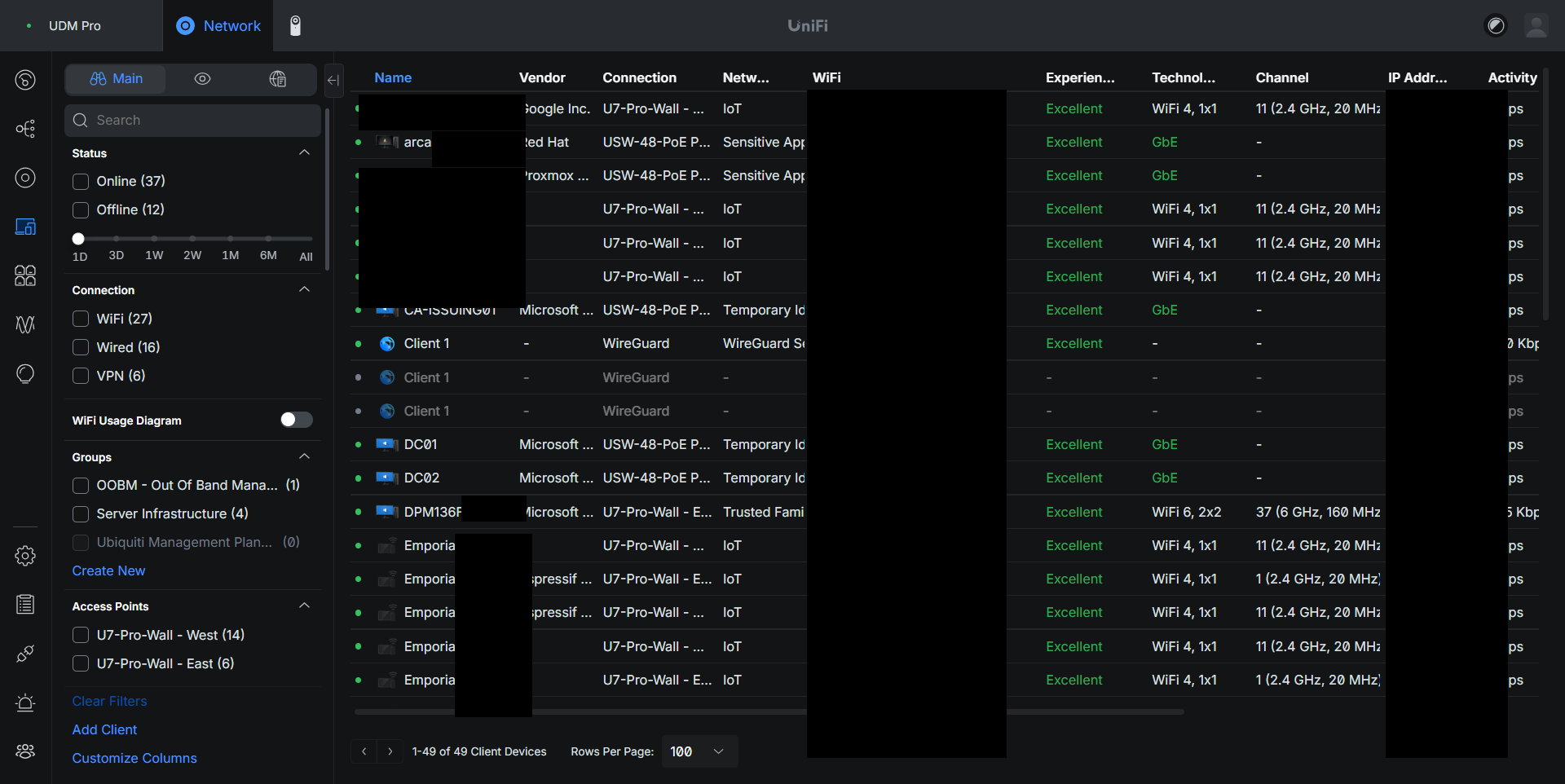
I inventoried the UniFi networks, firewall rules, switch ports, wireless networks, Proxmox interfaces, VMs, internal DNS, reverse proxy configuration, host firewalls, Docker-published ports, and the main service dependencies.
The service inventory was especially important because the new trust model had to follow what systems actually did.
The major systems eventually separated into clear roles:
- Janus: Reverse proxy and internal application entry point
- Mercurius: Media and internal application backend
- Nuntius: Security applications including MISP, TheHive, Cortex, Shuffle, and SpiderFoot
- Specula: Observability and monitoring
- Scrutator: Observability and security support
- Argus: Security operations and Wazuh SIEM
- Custos: Authentication and sensitive application role
- Arca: Secrets and sensitive application role
- Lares: Home Assistant automation
- Windows Identity Lab: Domain controllers, NPS, issuing CA, offline root CA, and privileged workstation
Once those roles were clear, the VLAN design became a trust model instead of a numbering exercise.
5. Rebuilding the Trust Boundaries
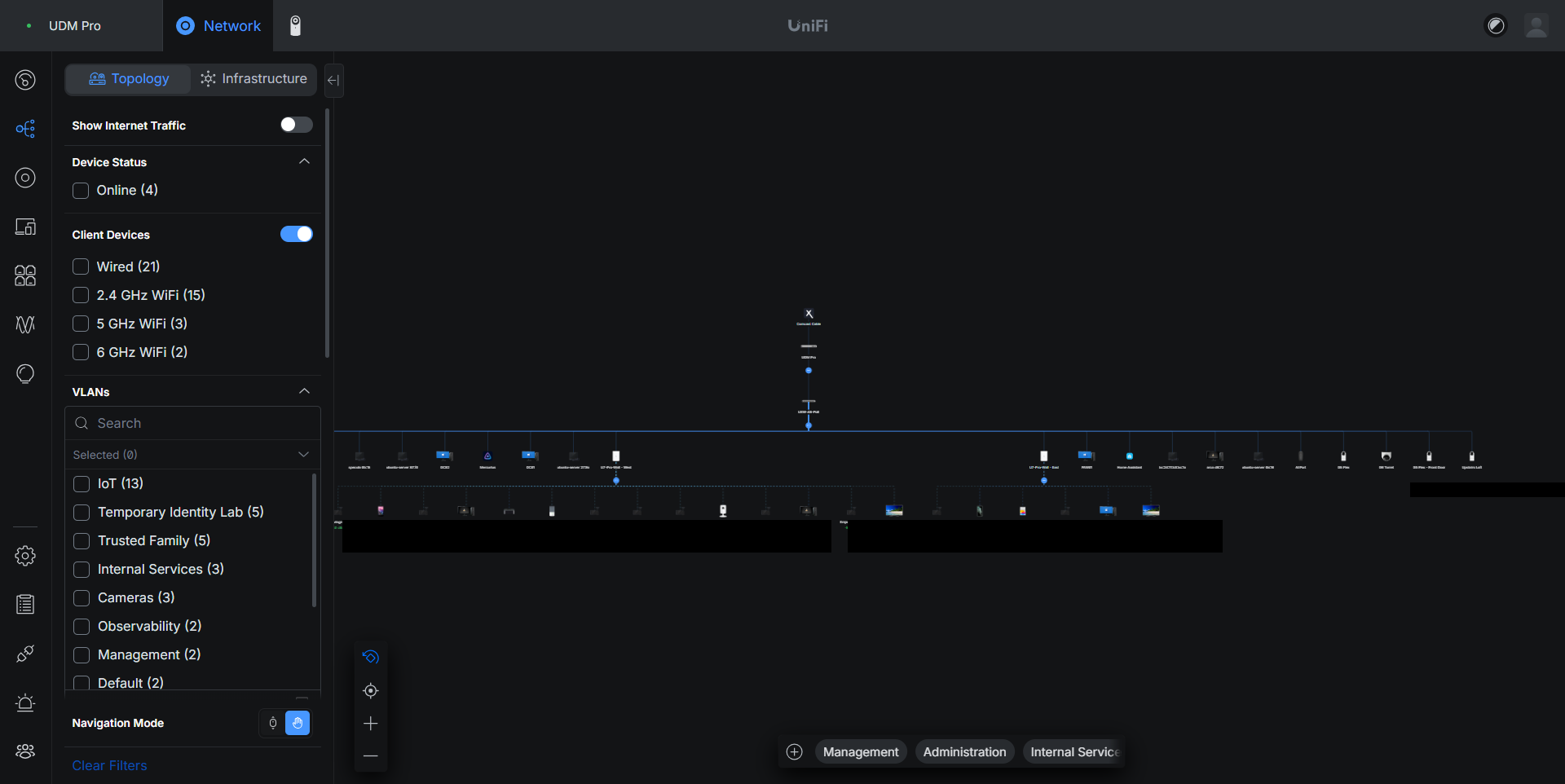
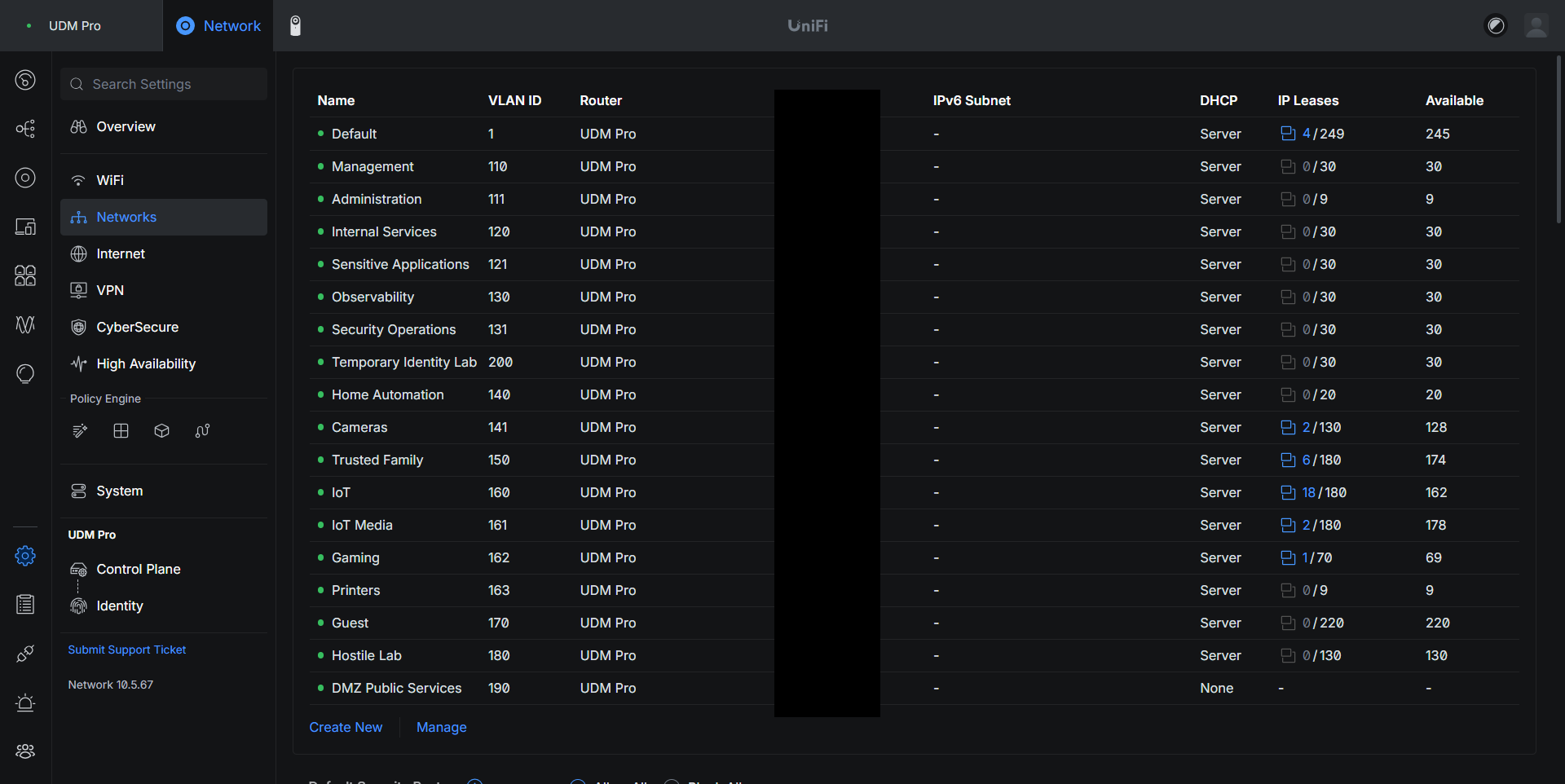
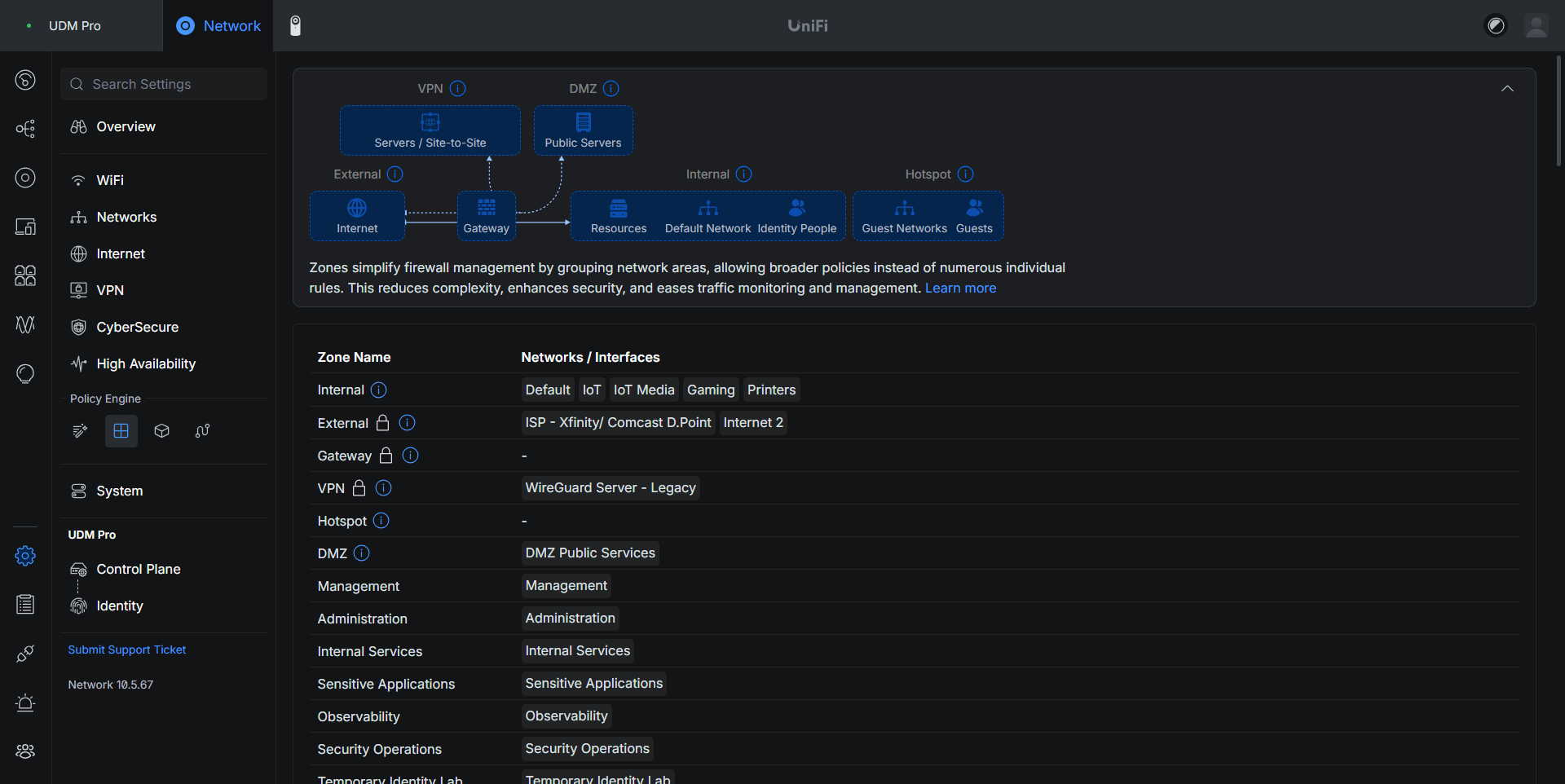
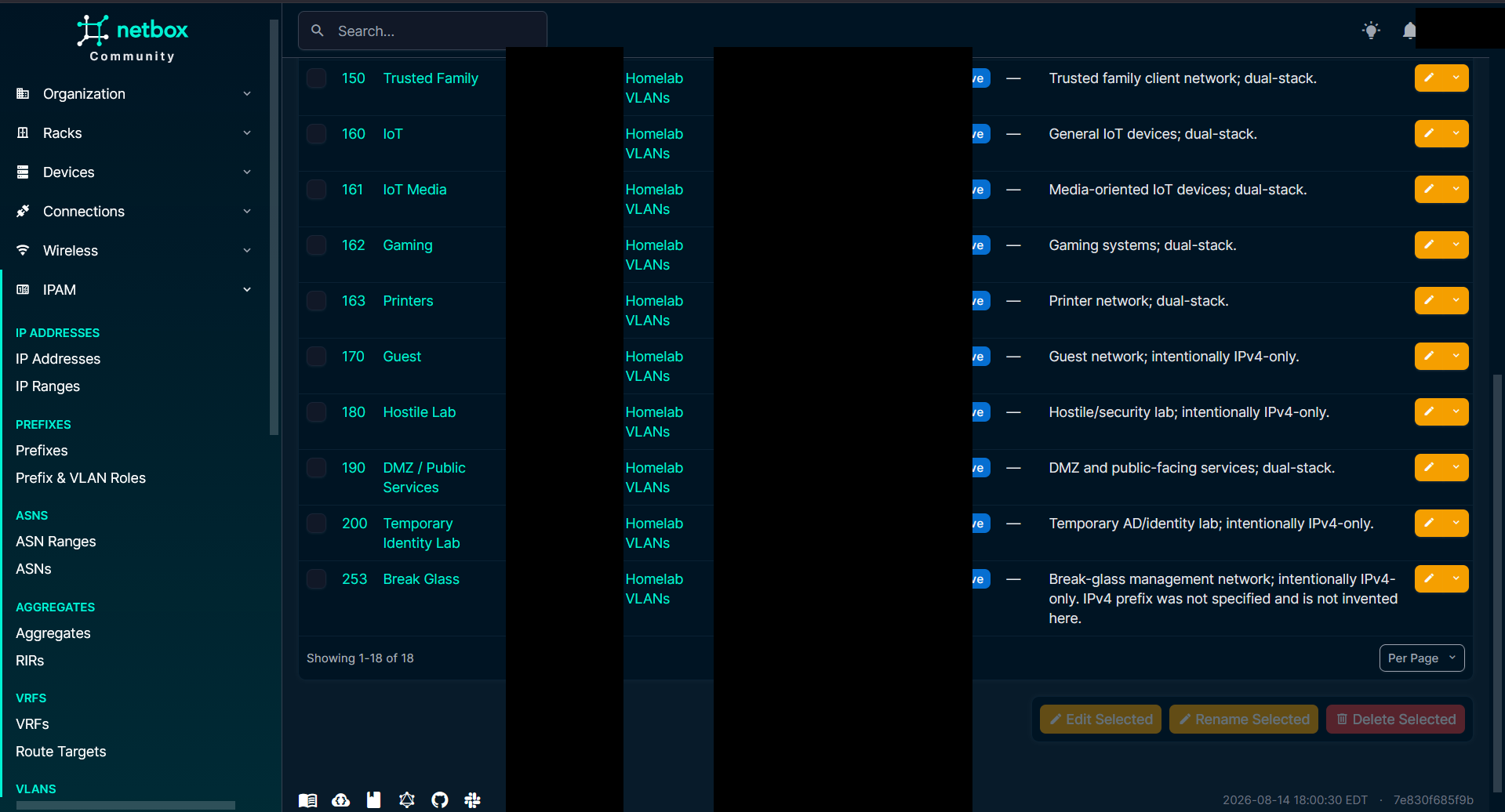
The new IPv4 design uses the 10.99.x.x space and separates systems by purpose. The final VLAN plan is detailed in Table 1 below.
| VLAN | Name | IPv4 Subnet | IPv6 Prefix | Purpose |
|---|---|---|---|---|
110 |
Management | 10.99.110.0/24 |
2001:db8:b1f0::/64 |
Infrastructure management (UDM, Proxmox, iDRAC) |
111 |
Administration | 10.99.111.0/27 |
2001:db8:b1f2::/64 |
Trusted administrative clients |
120 |
Internal Services | 10.99.120.0/24 |
2001:db8:b1f1::/64 |
Janus (proxy), Nuntius (security apps), Mercurius |
121 |
Sensitive Applications | 10.99.121.0/24 |
2001:db8:b1f3::/64 |
Authentication (Custos), secrets (Arca) |
130 |
Observability | 10.99.130.0/24 |
2001:db8:b1f4::/64 |
Monitoring and metrics (Specula, Scrutator) |
131 |
Security Operations | 10.99.131.0/24 |
2001:db8:b1f5::/64 |
Wazuh SIEM / security telemetry (Argus) |
140 |
Home Automation | 10.99.140.0/26 |
2001:db8:b1f6::/64 |
Home Assistant (Lares) |
141 |
Cameras | 10.99.141.0/24 |
2001:db8:b1f7::/64 |
Isolated camera clients |
150 |
Trusted Family | 10.99.150.0/24 |
2001:db8:b1f8::/64 |
Trusted household workstations and laptops |
160 |
IoT | 10.99.160.0/24 |
2001:db8:b1f9::/64 |
General smart home IoT devices |
161 |
IoT Media | 10.99.161.0/24 |
2001:db8:b1fa::/64 |
TVs, streaming devices, media players |
162 |
Gaming | 10.99.162.0/25 |
2001:db8:b1fb::/64 |
Gaming consoles and dedicated gaming PCs |
163 |
Printers | 10.99.163.0/27 |
2001:db8:b1fc::/64 |
Network printers |
170 |
Guest | 10.99.170.0/24 |
IPv4 only | Isolated visitor guest network |
180 |
Hostile Lab | 10.99.180.0/24 |
IPv4 only | Untrusted security research & malware analysis |
190 |
DMZ / Public Services | 10.99.190.0/27 |
2001:db8:b1fd::/64 |
Public-facing edge services |
200 |
Temporary Identity Lab | 10.99.200.0/24 |
IPv4 only | Active Directory identity lab |
253 |
Break Glass | Out-of-band | IPv4 only | Emergency out-of-band management path |
The exact VLAN count is not the important part. The important part is that each network answers a specific question:
- Where does infrastructure management live? Management.
- Where does a trusted admin workstation live? Administration.
- Where do normal application backends live? Internal Services.
- Where do monitoring systems live? Observability.
- Where do security operations systems live? Security Operations.
- Where do devices go when I do not trust them the same way I trust a workstation? They are separated by their actual function instead of being dumped into one giant "IoT" bucket.
That made policy much easier to read because the source and destination now mean something.
6. Service First, Backend Second
The biggest design change was how normal clients reach applications.
A family laptop may need Vaultwarden, Seerr, Jellyfin, or another internal web application. That does not mean the laptop needs broad access to Internal Services.
A TV may need Jellyfin. That does not mean the TV should be able to talk directly to every service port on Mercurius.
A gaming system may need the same media application. That still does not make the Gaming VLAN a trusted backend client.
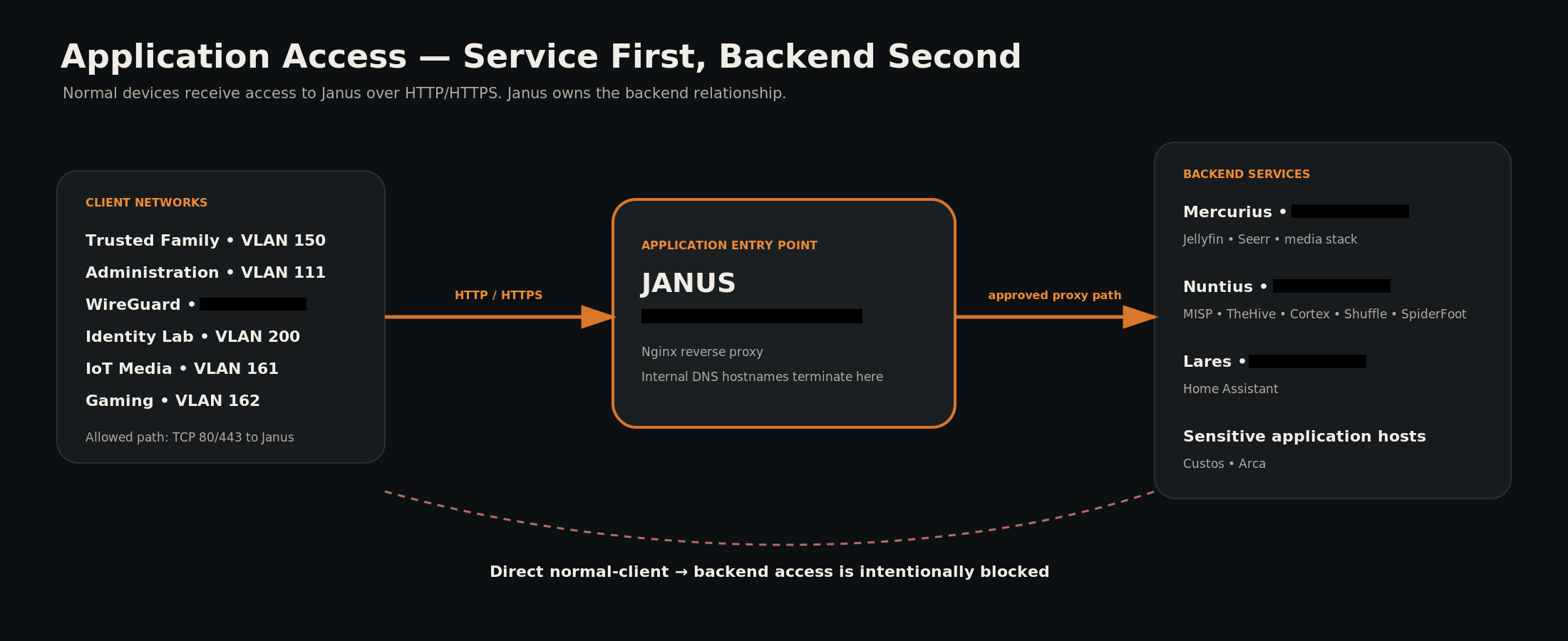
The answer was to make Janus the application boundary.
Normal client networks are allowed to reach Janus on the ports required for HTTP/HTTPS. Janus owns the relationship with the backend service. Direct normal-client access to Mercurius, Nuntius, sensitive hosts, monitoring systems, and management systems is blocked unless there is a separate reason for it.
This design also makes moving a backend easier. If an application moves from one server to another, the clients still go to the same hostname and the same reverse proxy. I can change the backend relationship without opening a new client-to-server path every time.
The firewall policy then becomes much more specific:
- Trusted Family, Administration, WireGuard, and selected internal networks can reach Janus.
- IoT Media and Gaming can reach Janus for approved applications.
- Backend access stays strictly limited.
- Administration has explicit paths to infrastructure.
- Observability has explicit monitoring paths.
- Security Operations has explicit telemetry paths.
- Home Assistant has the automation paths it actually needs.
I also kept Management separate from Administration. That distinction matters:
Management is where the infrastructure lives. Administration is where a trusted client can live while managing that infrastructure. A laptop being trusted enough to administer Proxmox does not mean Proxmox should share the laptop's broadcast domain.
7. The Physical Network Had to Match the Logical Design
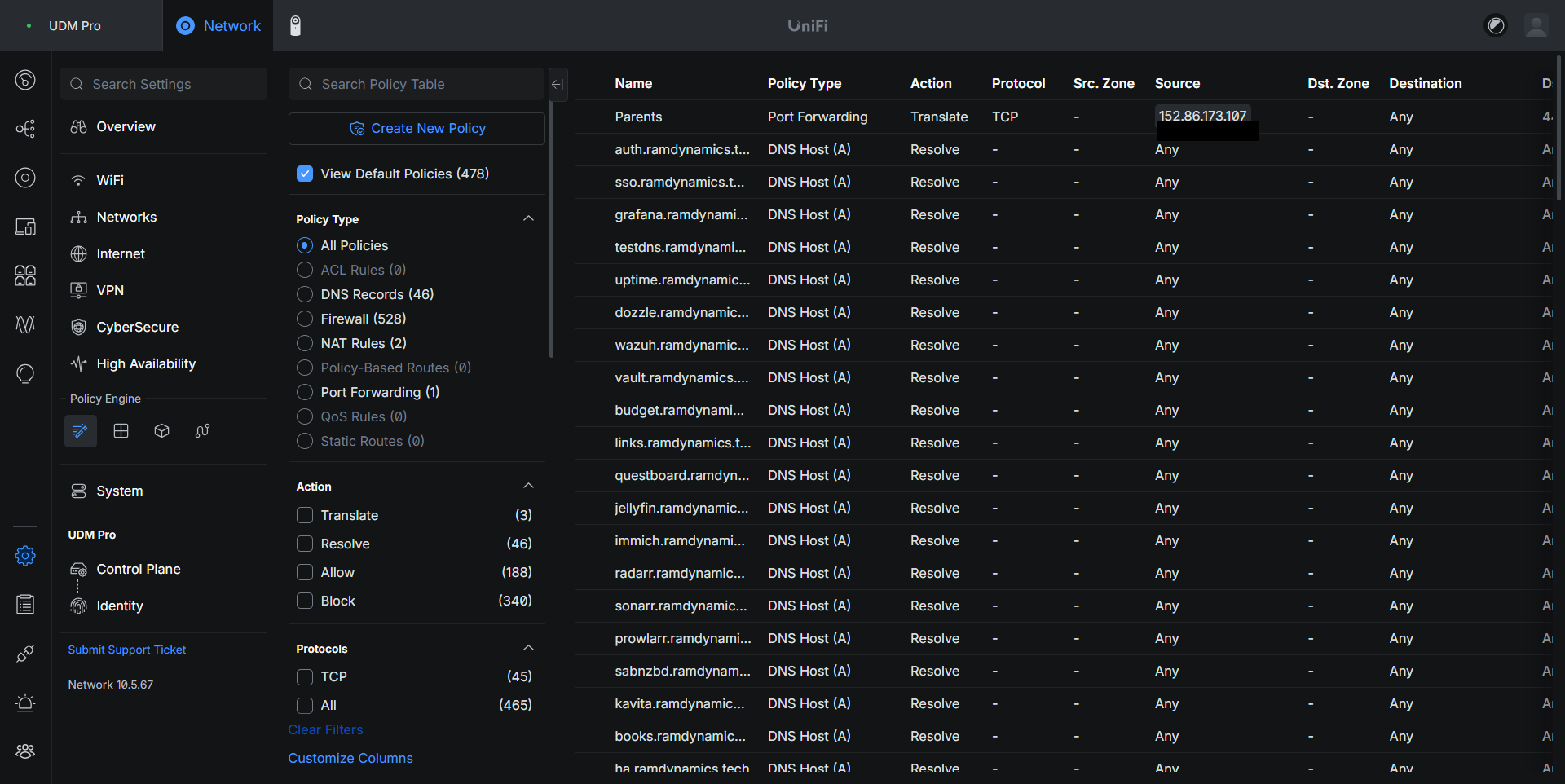
A clean firewall design does not help much if every trunk is still carrying every old VLAN everywhere.
The physical side was cleaned at the same time. The core switch and Proxmox links were reduced to the networks they actually need. The access point trunks were kept broad enough for the SSIDs they serve but did not need to carry retired networks. Dedicated access ports for infrastructure and special-purpose devices were moved onto permanent profiles.
This was also where I tried to kill off "migration as architecture." A profile named like a temporary cutover step can be useful for a few hours. Six months later it becomes technical debt unless it has a real permanent purpose.
The goal was for the physical configuration to tell the same story as the firewall configuration.
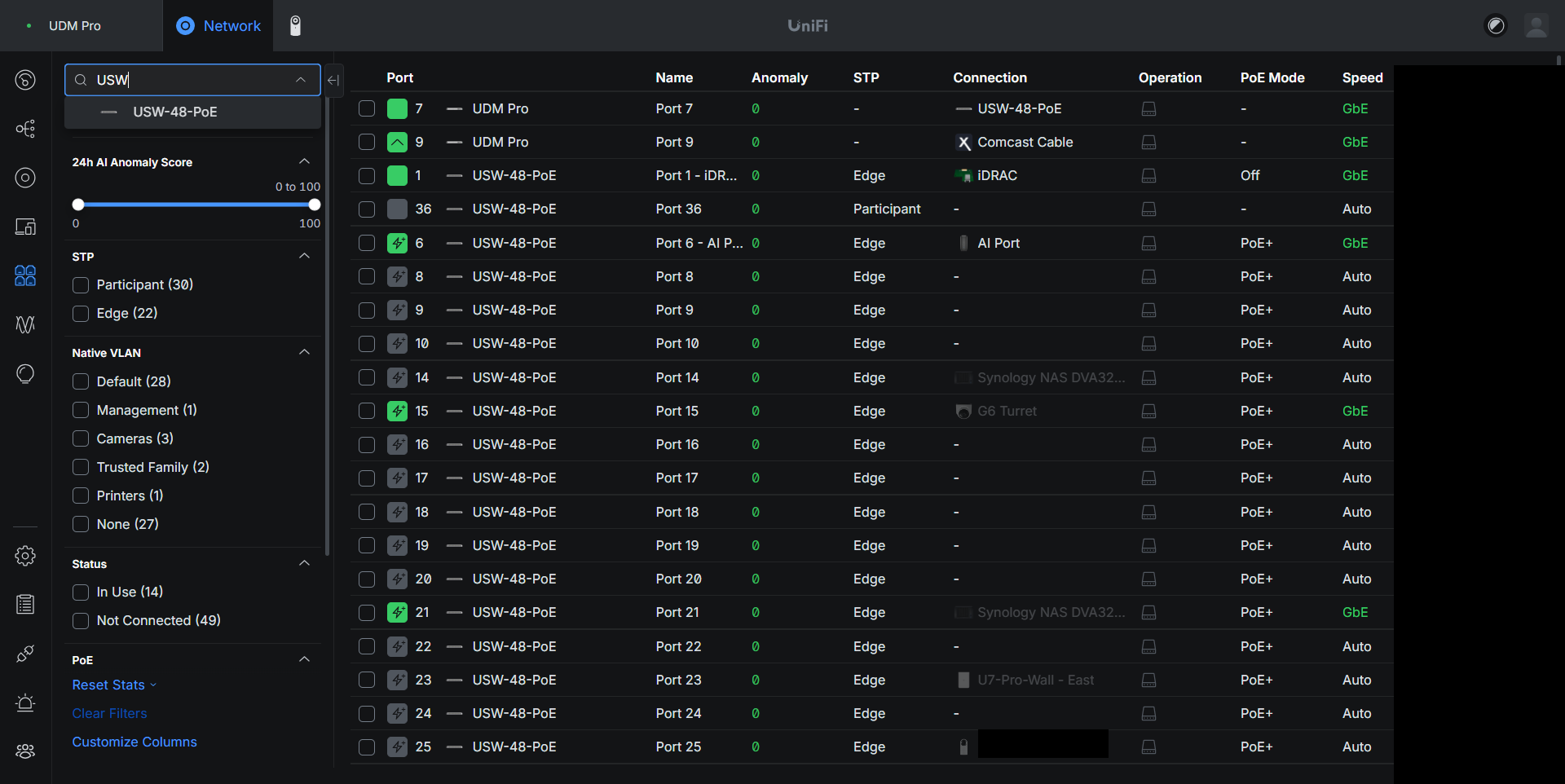
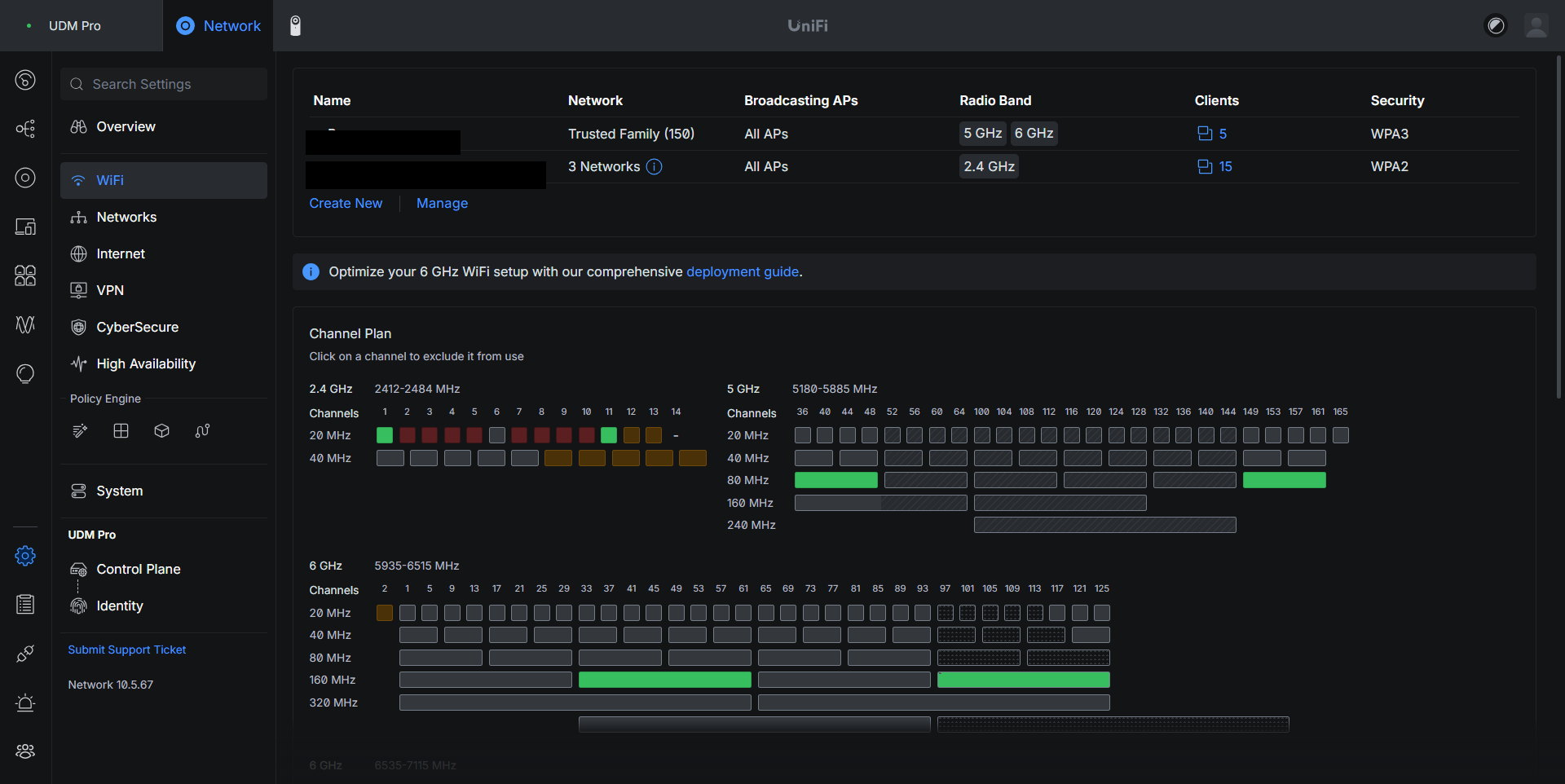
Wi-Fi follows the same trust model. Normal family devices, IoT, media, and gaming do not have to share one trust boundary just because they are all wireless.
The success test was not "can I make the controller look complicated." It was whether normal household behavior kept working after the separation. The TV still needs to play media. Phones still need to reach the services they use. Home automation still needs discovery where discovery is actually required.
Segmentation is only useful if it survives contact with real usage.
8. The Migration Was Really a Dependency Hunt
Creating the new networks was not the hardest part. Finding everything that still remembered the old environment was.
After the main systems were moved, I searched active server configuration for references to the retired 10.1.x.x address space.
Those references showed up in more places than a controller screenshot would ever show:
- Nginx proxy targets & allowlists
- Host firewall configuration (UFW, iptables)
- Docker published-port filters
- Helper scripts & monitoring setup scripts
- Old internal DNS setup scripts
- Security tooling scripts & deployment helpers
- Archived configuration that looked active until it was traced
Some replacements were obvious. Others were not.
The old server network had been split into several new trust zones. A blind search-and-replace from an old /24 to one new /24 would have been dangerous. An old address might now belong in Internal Services, Observability, Security Operations, Sensitive Applications, or Home Automation.
So every stale reference had to answer a few questions:
- What did this address represent?
- Does that service still exist?
- Where does it run now?
- Does the old access still make sense?
- Should the configuration be updated, narrowed, or retired?
That process also found dead helper scripts. If a script had no current systemd, timer, cron, service, or operational dependency, I did not keep modernizing it forever. I moved it into a retired-scripts archive and removed executable permission.
That sounds small, but stale automation is dangerous when it looks current enough that somebody might run it later.
9. Nuntius Was the Best Example of Why I Did Not Blindly Delete Things
One of the last old addresses still present in active Nginx configuration was 10.10.30.123. It was associated with MISP, TheHive, Cortex, Shuffle, and SpiderFoot.
It would have been easy to look at the old address, decide the entry was stale, and delete the proxy configuration.
Instead, I treated it like I would treat a strange dependency in an inherited environment.
The investigation led to Nuntius (VM 230), which was powered off.
Once Nuntius was started, the old references suddenly made sense. The VM was still the intended host for those security applications. The services were not dead. Their host was simply not running.
Nuntius was restored on 10.99.120.11, the Janus proxy targets were updated, Nginx configuration was validated and reloaded, and the applications were tested individually.
The important outcome was not "I deleted five stale proxy entries." It was that I proved those entries represented real services, found the actual host, restored it, moved the relationship into the new architecture, and then validated the full proxy path.
That is exactly the kind of thing I wanted this project to force me to deal with.
10. Proving the Old Network Was Actually Gone
The IPv4 migration finish line was not "the new VLANs exist." It was not "Jellyfin works." It was not even "the old VLANs were deleted."
0 active 10.1.x.x references in the searched operational server configuration.
That is a much stronger statement because it means the old architecture was not still hiding inside active configuration.
The final validation was both positive and negative:
✓ POSITIVE TESTS (ALLOWED PATHS)
- Trusted Family reached approved apps through Janus
- IoT Media & Gaming reached Janus for media access
- WireGuard & Admin reached management targets
- Janus successfully proxied to backend services
- Observability collected metrics from targets
- Nuntius security apps responded through reverse proxy
✗ NEGATIVE TESTS (BLOCKED PATHS)
- Trusted clients could NOT directly reach hidden backend ports
- IoT Media & Gaming could NOT bypass Janus to reach Mercurius/Nuntius
- Restricted devices could NOT reach management or observability
- No lateral traversal from untrusted zones to sensitive apps
That positive/negative test pattern became even more important during the IPv6 rollout.
11. IPv6 Came After IPv4 on Purpose
I did not enable IPv6 at the beginning of the rebuild. That was deliberate.
Trying to troubleshoot a changing IPv4 segmentation model and a new IPv6 design at the same time would have made it too easy to misread failures. I wanted the IPv4 architecture stable first, then I wanted to add IPv6 to the design that had already been proven.
Once the IPv4 work was clean, the next goal was not "turn on IPv6 everywhere."
The goal was dual-stack parity without creating a second, weaker security model.
That distinction matters because IPv6 global addresses do not rely on NAT for accidental protection. If the firewall policy is wrong, the fact that the address is globally routable matters immediately.
I started at the WAN.
The UDM Pro was configured for DHCPv6 Prefix Delegation. I initially tested the automatic behavior, then requested a /56. Xfinity did not delegate /56; the live DHCPv6 logs showed that the ISP actually delegated:
2001:db8:b1f0::/60
A /60 gives exactly sixteen /64 networks. That turned out to fit the design almost perfectly.
Fourteen VLANs were selected for dual-stack operation. Two /64s were intentionally left reserved. Guest, Hostile Lab, the temporary Identity Lab, Break Glass, and the default network stayed IPv4-only.
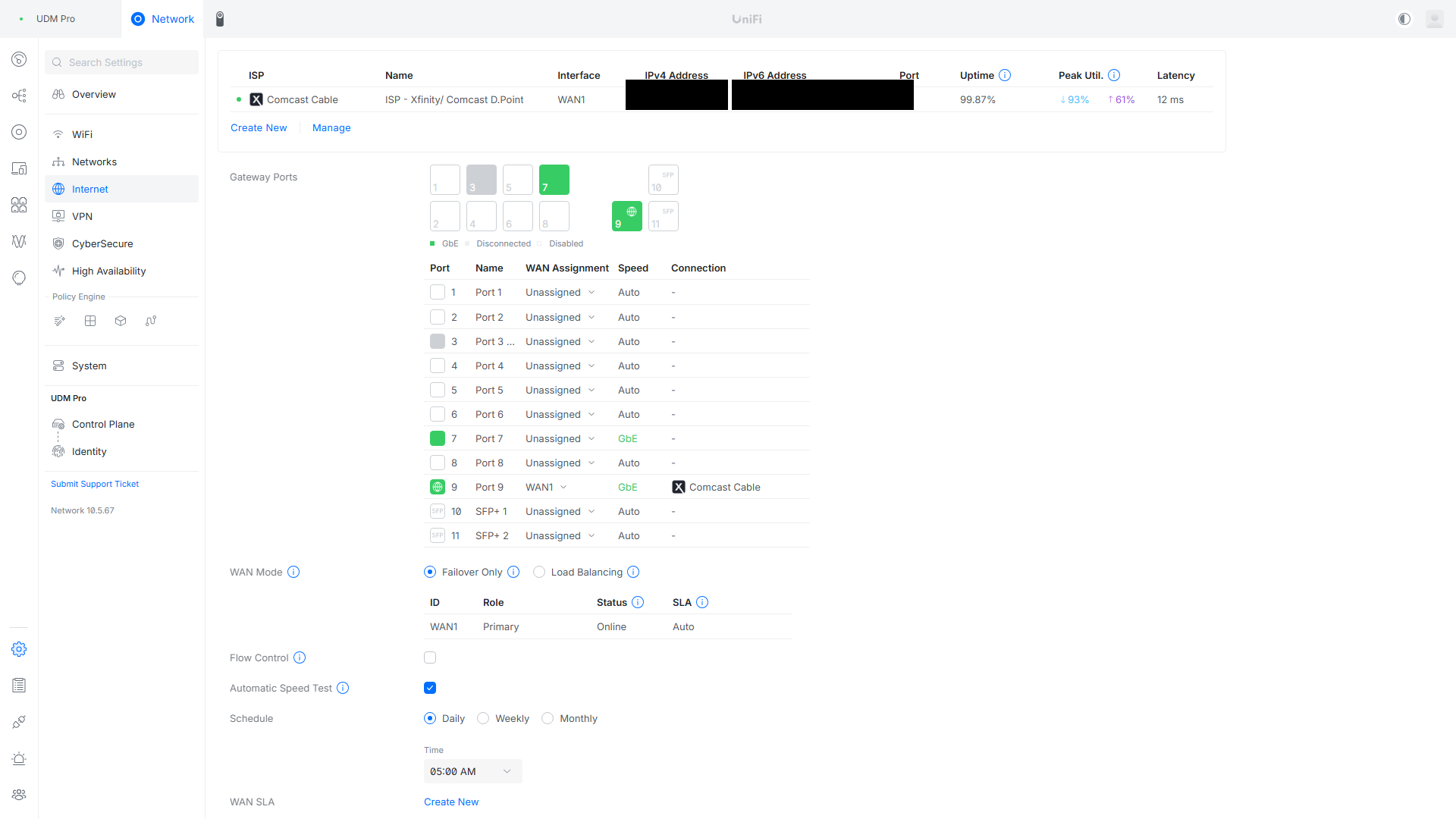
12. Current IPv6 Addressing Plan
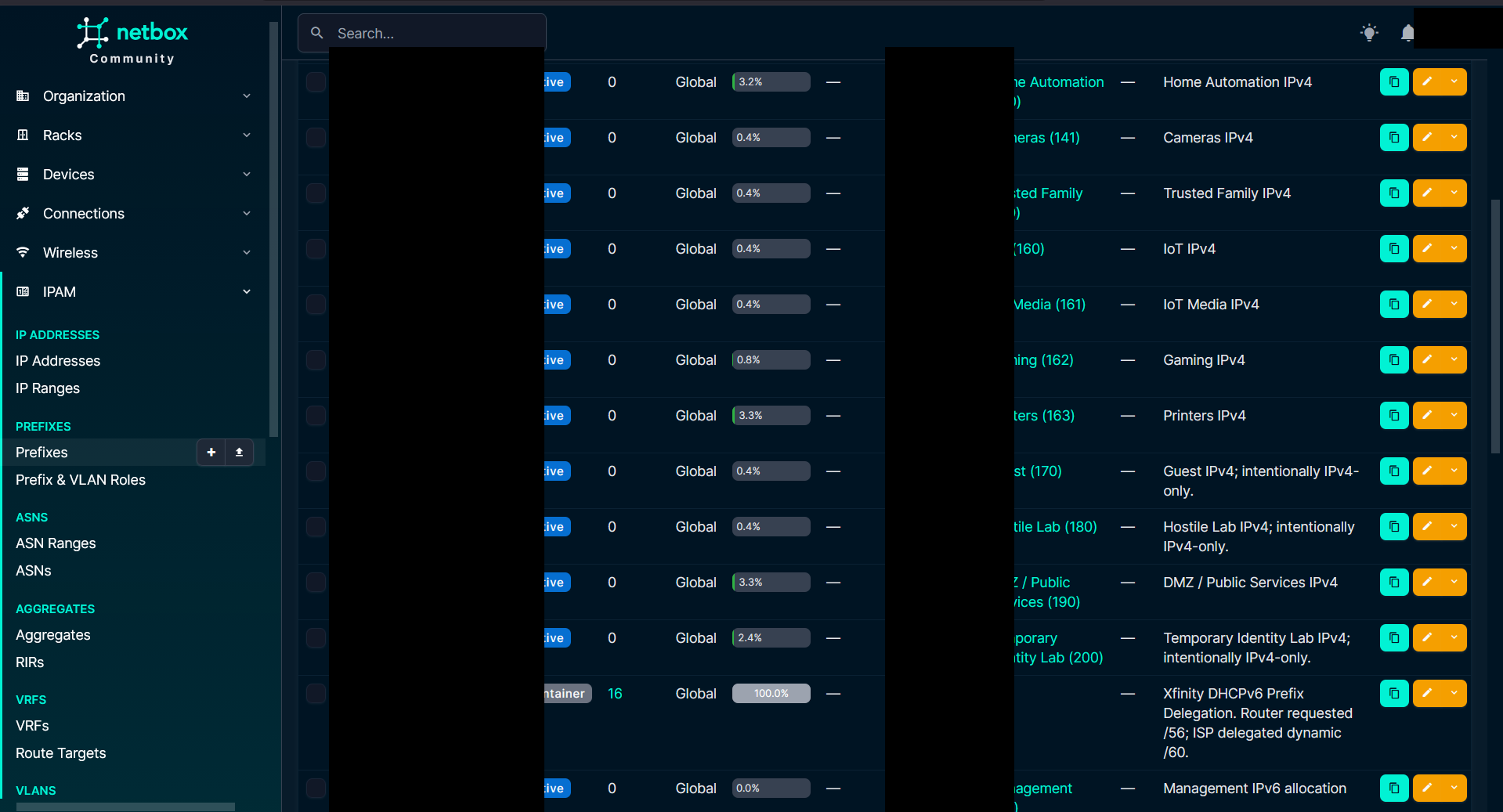
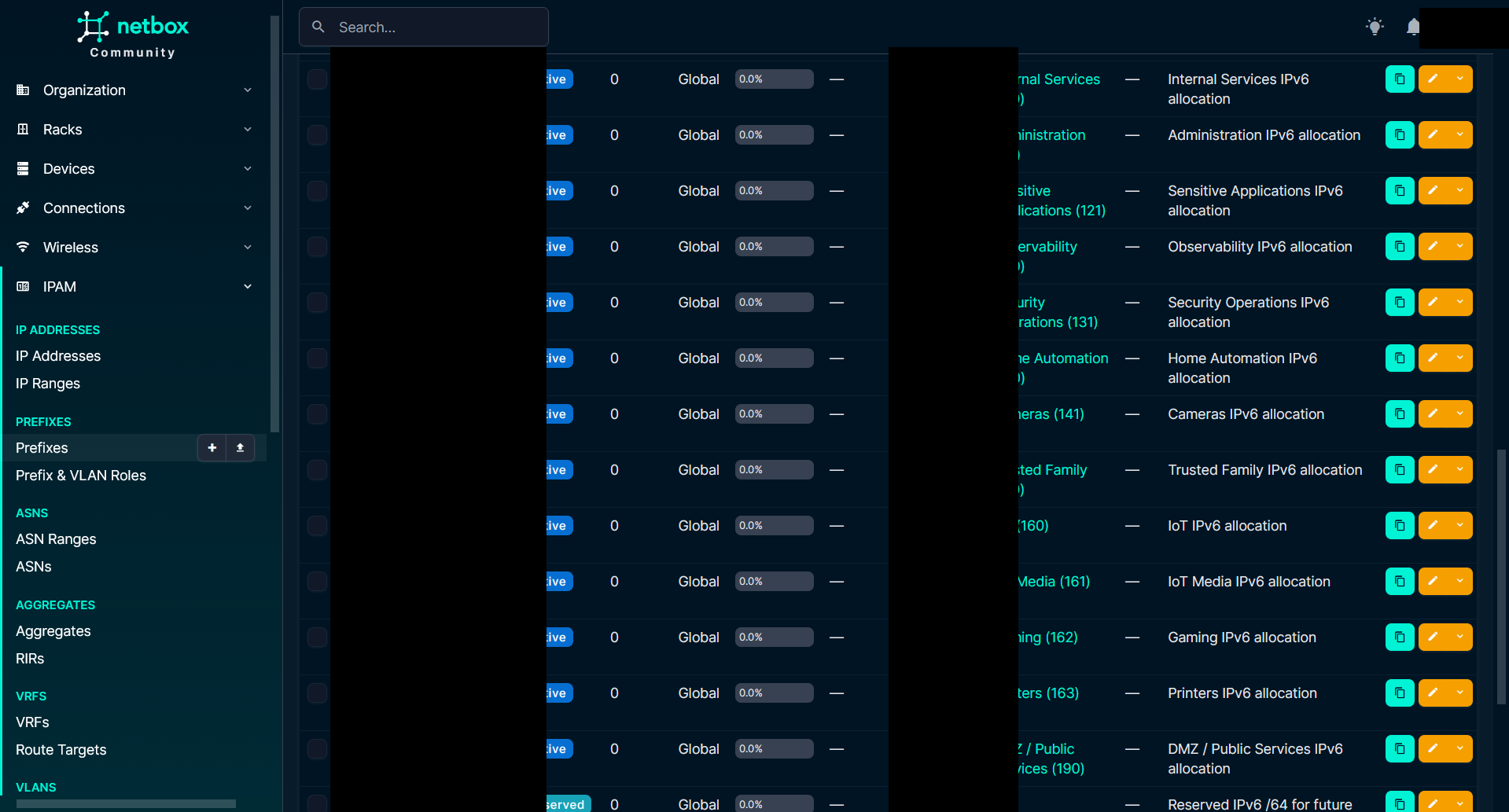
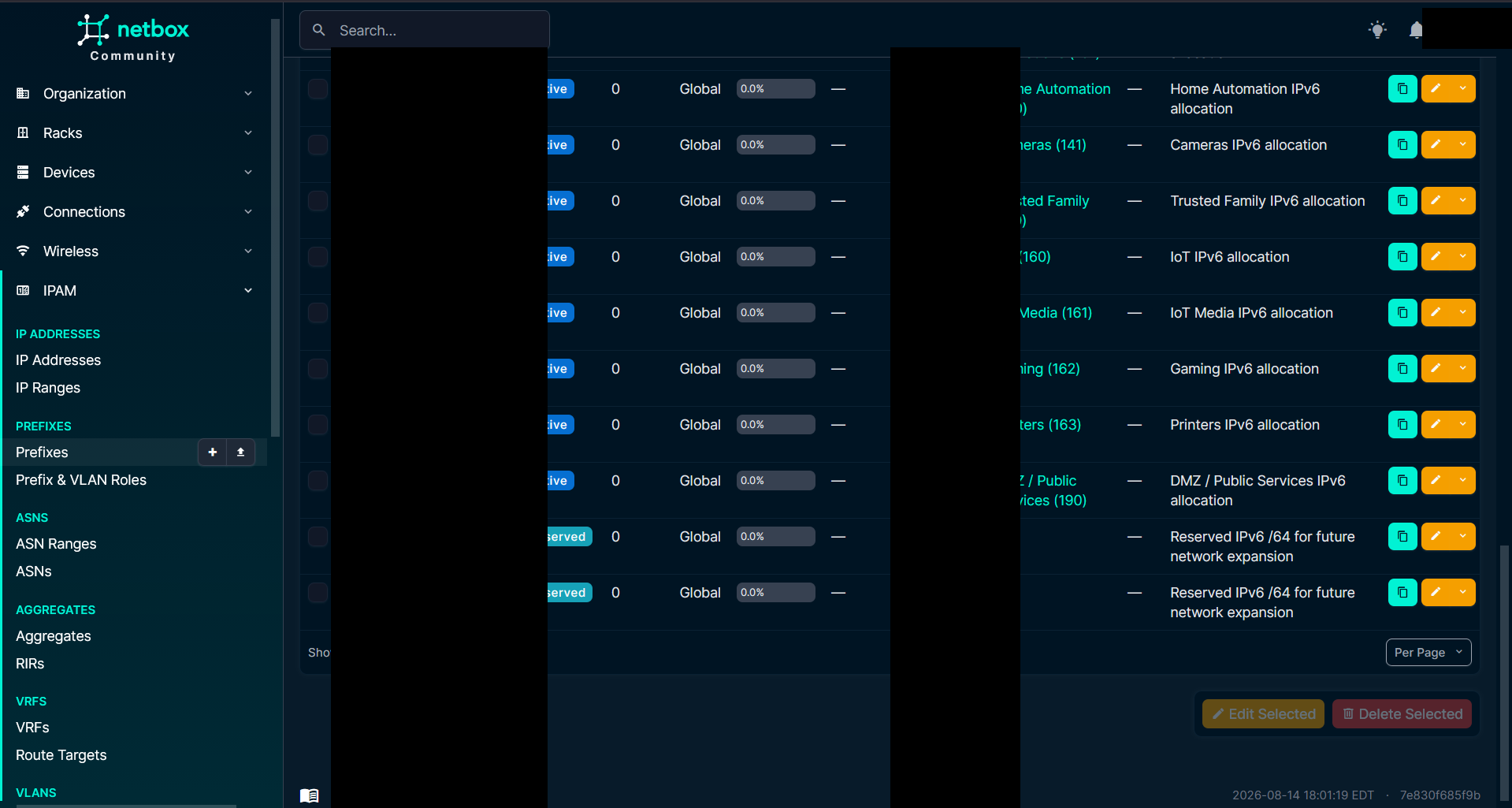
The delegated /60 was split into the following /64 networks as shown in Table 2:
| Prefix | VLAN / Use | Status | Notes & Static Infrastructure Assignments |
|---|---|---|---|
2001:db8:b1f0::/64 |
110 Management | Active | Gateway ::1; Proxmox ::20; iDRAC planned ::21 |
2001:db8:b1f1::/64 |
120 Internal Services | Active | Janus ::10; Nuntius ::11; Mercurius ::40 |
2001:db8:b1f2::/64 |
111 Administration | Active | Administrative clients |
2001:db8:b1f3::/64 |
121 Sensitive Applications | Active | Custos ::10; Arca ::20 |
2001:db8:b1f4::/64 |
130 Observability | Active | Specula ::10; Scrutator ::11 |
2001:db8:b1f5::/64 |
131 Security Operations | Active | Argus ::10 (Wazuh) |
2001:db8:b1f6::/64 |
140 Home Automation | Active | Lares ::10 (Home Assistant) |
2001:db8:b1f7::/64 |
141 Cameras | Active | Camera clients |
2001:db8:b1f8::/64 |
150 Trusted Family | Active | Trusted clients |
2001:db8:b1f9::/64 |
160 IoT | Active | General IoT devices |
2001:db8:b1fa::/64 |
161 IoT Media | Active | Media devices & streaming |
2001:db8:b1fb::/64 |
162 Gaming | Active | Gaming consoles & PCs |
2001:db8:b1fc::/64 |
163 Printers | Active | Network printers |
2001:db8:b1fd::/64 |
190 DMZ / Public Services | Active | Public DMZ services |
2001:db8:b1fe::/64 |
Reserved | Reserved | Future expansion |
2001:db8:b1ff::/64 |
Reserved | Reserved | Future expansion |
The important design choice was to keep one /64 per VLAN. I did not try to squeeze IPv6 into smaller subnets just because the IPv4 networks were sometimes /27, /26, or /25. IPv6 uses /64 for normal SLAAC-enabled LANs, so the IPv6 structure follows the VLAN boundaries rather than copying IPv4 prefix lengths.
Infrastructure systems also received stable static addresses (e.g. Proxmox on ::20, Janus on ::10, Nuntius on ::11, Custos on ::10, Argus on ::10). The planned iDRAC address is 2001:db8:b1f0::21, but I deliberately documented that as reserved/planned until configured on the physical iDRAC interface.
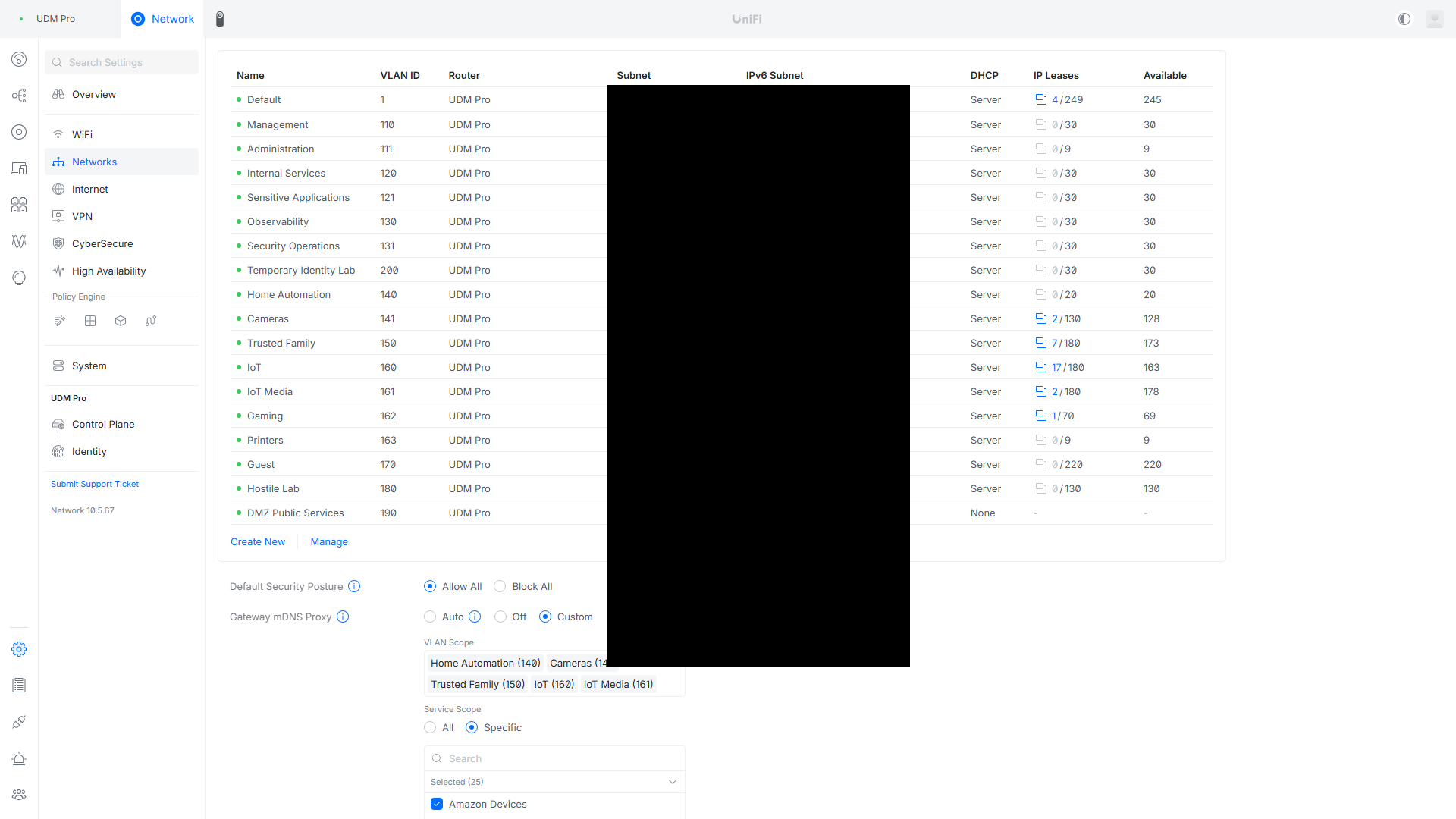
13. Dual-Stack DNS Made IPv6 Real
IPv6 is not very useful if every internal application continues to resolve only to IPv4.
Once Janus was listening correctly on IPv6 and the firewall paths were being validated, I added internal AAAA records for the application names that already pointed to Janus over IPv4.
There were 42 existing internal A records pointing to: 10.99.120.10.
Matching internal AAAA records were added for: 2001:db8:b1f1::10.
Public Cloudflare DNS was left alone; this was an internal dual-stack change. That preserved the same application model on both protocol families:
The A records stayed in place, so IPv4-only clients continued to work. IPv6-capable clients could now select the AAAA record and reach the same reverse proxy.
The application itself did not need to know whether the client arrived over IPv4 or IPv6. Nginx terminated the connection, selected the virtual host using SNI/Host headers, and continued to proxy to the correct backend.
This is where the project got interesting, because the first real client-side IPv6 tests failed.
14. The First IPv6 Security Problem Was Too Much Parity
The initial IPv6 firewall audit showed something that looked good at first: the zone-to-zone block rules already applied to IPv6.
The problem was the ALLOW side.
Many of the older allow rules used explicit IPv4 destinations. That meant IPv6 traffic to Janus, Argus, Nuntius, Proxmox, and other systems could fall through the IPv4-specific allow and hit the later zone block.
The first instinct was to convert the relevant policies to IPV4_AND_IPV6. That worked for narrow rules, but it created a new problem with broad zone-to-zone ALLOW rules.
Rules like these were too broad to safely become dual-stack:
- Internal to Internal
- Internal to Observability
- Internal to Security Operations
- Internal to Sensitive Applications
- Internal to Internal Services
- Admin and LAN to Identity Zone
The Internal zone included networks such as IoT Media and Gaming. Enabling IPv6 on broad zone rules caused those restricted networks to gain IPv6 paths that were not supposed to exist.
The negative tests caught it immediately: IoT Media and Gaming could reach Mercurius and Nuntius directly over IPv6 when they should only have been able to reach Janus.
The fix was not to make every IPv4 rule dual-stack automatically. The broad rules were returned to IPv4-only, and the actual required IPv6 paths were implemented as narrow, explicit exceptions.
15. The Hardest IPv6 Problem Was a Rule That Looked Correct
After the broad-rule cleanup, Trusted Family still could not reach Janus over IPv6.
This was the kind of failure I wanted from the project because the configuration looked right in the GUI.
The Trusted Family client had a valid global IPv6 address in 2001:db8:b1f8::/64 and a valid default route to the UDM Pro. The UniFi rule also looked correct through the API:
- source: Trusted Family network
- destination: 2001:db8:b1f1::10
- protocol: TCP (ports 80/443)
- IP version: IPv4 and IPv6
But curl -6 to Seerr and Jellyfin timed out.
The next step was packet tracing instead of guessing:
- A packet capture on Janus showed no incoming SYN packets from the Trusted Family IPv6 subnet. That ruled out Nginx and showed the packet was dying before it reached the server.
- I traced traffic through the UDM Pro: The SYN reached
br150, entered the forwarding chain, and reached the inter-VLAN chain toward Internal Services. - It never left
br120toward Janus. - Firewall counters revealed the cause: the explicit ALLOW rule had 0 hits, while the later DROP rule was incrementing.
The root cause was rule matching inside the UDM. The generated IPv6 policy used UniFi-managed ipsets. In this environment, the network-object set used by the IPv6 rule did not match correctly: one generated source set was empty, and another was a list:set structure mixing IPv4 and IPv6 member sets. The match failed and dropped.
The workaround was a narrow Classic IPv6 LAN IN rule using literal IPv6 values instead of a UniFi Network object:
2001:db8:b1f8::/64Destination:
2001:db8:b1f1::10Ports:
TCP 80, 443
As soon as the literal-CIDR rule was committed, the rule counter incremented and the SYN packet reached Janus.
16. Fixing the Entire IPv6 Path, One Layer at a Time
Once the SYN reached Janus, the next failure was the Janus host firewall.
UFW was active with a default deny policy, but its existing allow rules were IPv4-focused. The approved IPv6 source networks needed matching narrow host-level permissions.
After adding the IPv6 UFW rule, the request made it to Nginx. Then Nginx returned 403 Forbidden.
That was actually good news. A 403 meant routing worked, the UDM allowed the packet, Janus accepted the packet, TCP worked, TLS worked, and Nginx was processing the request. The remaining problem was the application-layer allowlist.
The Nginx ACL still knew about the IPv4 client subnet but not the matching IPv6 subnet. After adding 2001:db8:b1f8::/64 to the allowlist and reloading Nginx, the real client-side tests passed:
HTTP/2 307 Temporary Redirect
$ curl -6 -I -k https://media.example.net
HTTP/2 302 Found
That was the full path working:
The same literal-CIDR strategy was then applied to the approved Administration, IoT Media, and Gaming IPv6 paths where required. Each layer was tested independently instead of changing three things at once.
17 & 18. NetBox as the Documented Source of Truth & IPAM
Once the network was rebuilt and validated, I wanted the resulting state documented somewhere better than screenshots, memory, and a pile of notes.
I mapped the current architecture into NetBox through its API using an idempotent sync workflow. The sync modeled:
- Existing site and location hierarchy (18 locations, Rack-01)
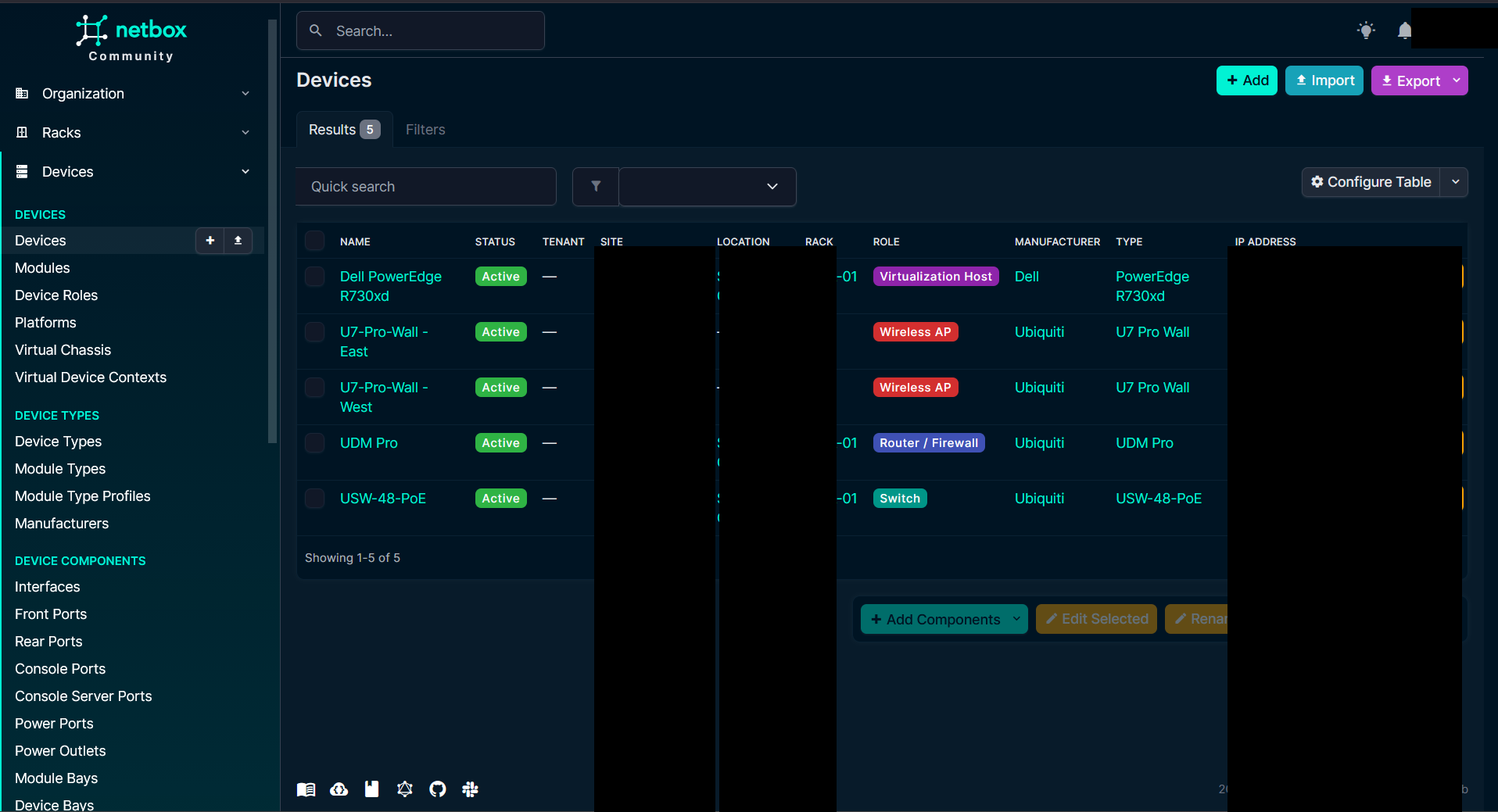
- UDM Pro, USW-48-PoE, Dell PowerEdge R730xd, U7 Pro Wall APs
- 18 VLANs, IPv4 prefixes, delegated IPv6
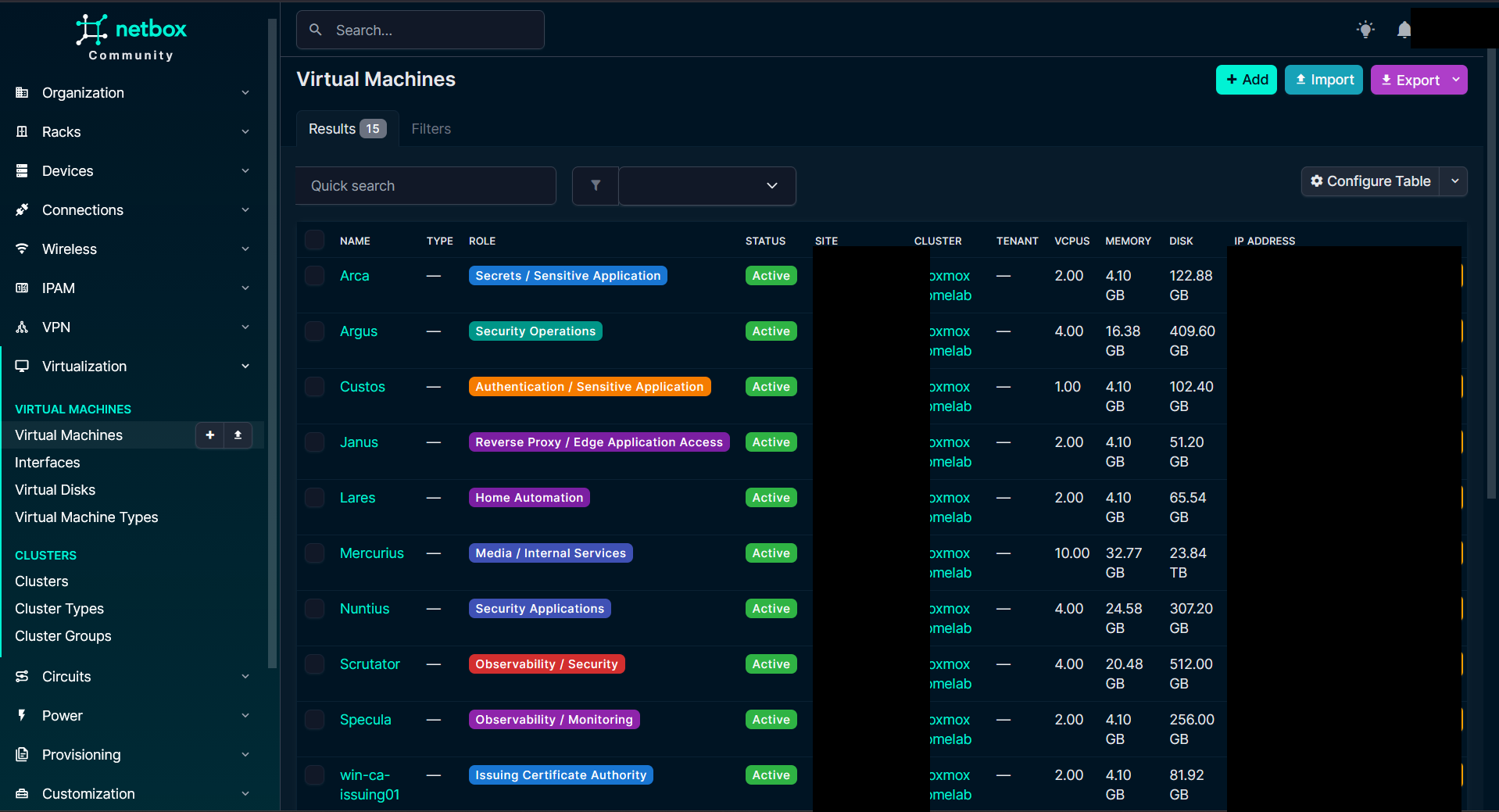
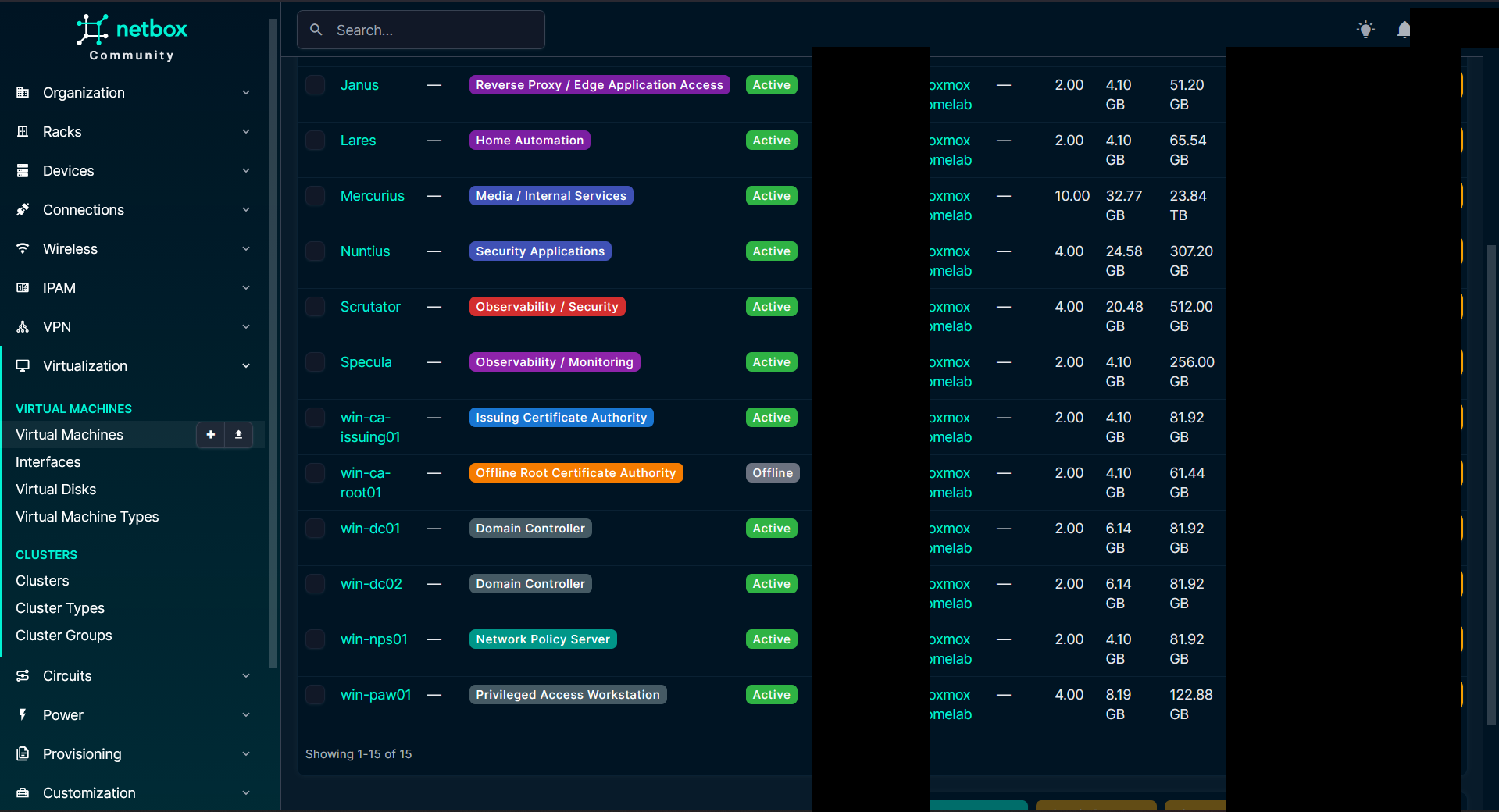
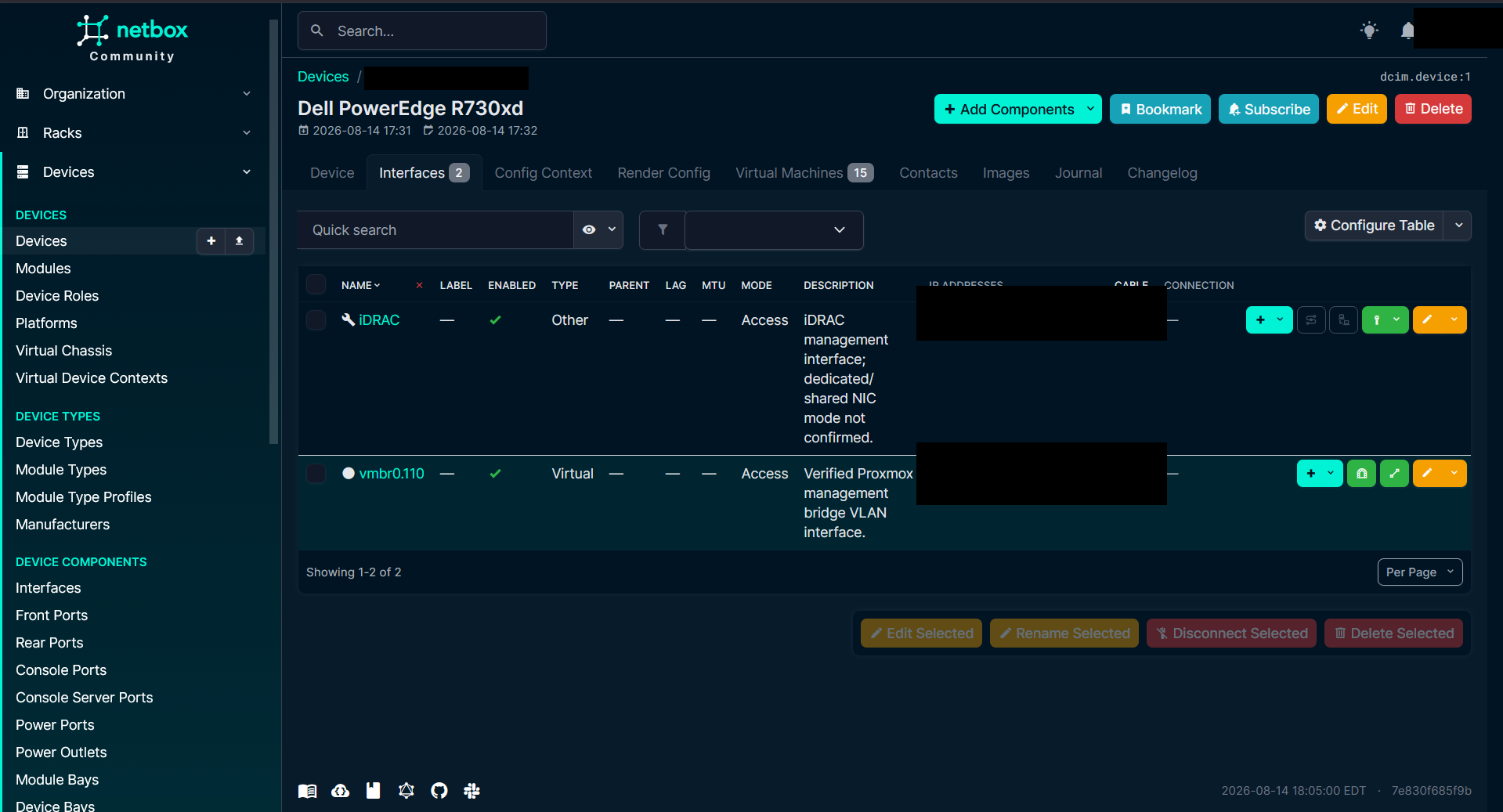
/60, 14 active/64s, 2 reserved/64s - Proxmox cluster, 15 VMs, interfaces, 61 IP addresses, and 12 core services
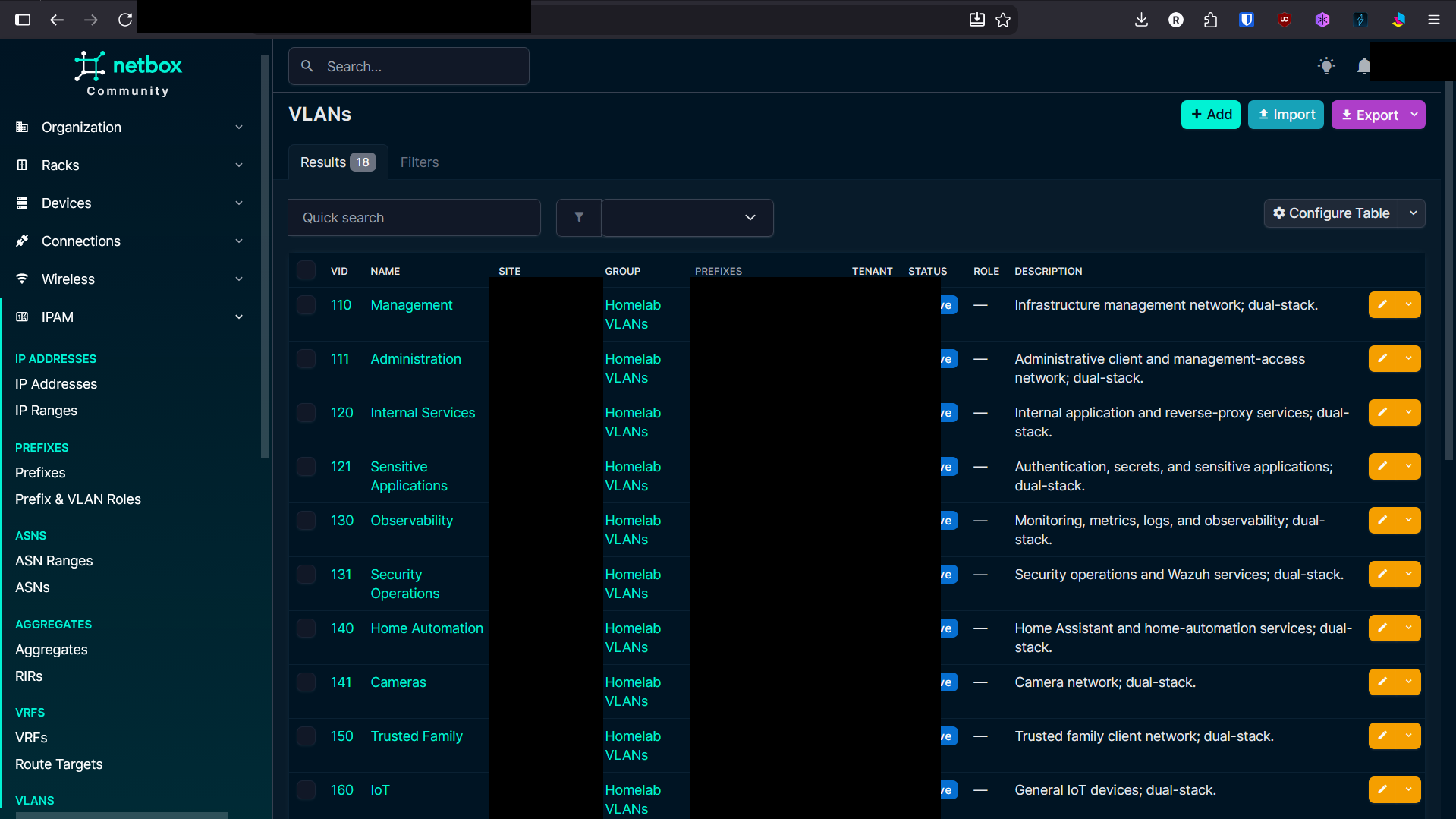
The delegated /60 is represented in NetBox as a parent container prefix. The fourteen active /64s are children tied to VLANs, and the two unused /64s (b1fe and b1ff) are marked Reserved.
19. Tying the Logical Network to Compute & DCIM
Instead of separate spreadsheets, NetBox connects the role, cluster, compute allocation, status, and primary IP together for all 15 virtual machines and physical devices:
20. Proving Idempotency & Current Metrics
The automation was designed to be idempotent. After initial object creation, running the sync a second time against the environment produced the exact desired state:
updated: 0
reused: 227
511 PASS / 0 FAIL
| Documented Metric | Final Result |
|---|---|
| Objects created in first run | 222 |
| Primary-IP updates during first run | 30 |
| Authoritative second sync | 0 created / 0 updated / 227 reused |
| Automated validation checks | 511 PASS / 0 FAIL |
| Total VLANs documented | 18 |
| IPv4 Prefixes documented | 17 |
| IPv6 Prefixes documented | 17 (1 parent /60 + 14 active /64 + 2 reserved /64) |
| Physical DCIM Devices | 5 |
| Virtual Machines | 15 |
| Documented IP Addresses | 61 |
| Core Services Documented | 12 |
| Existing Locations Preserved | 18 |
| Existing Rack Preserved | Rack-01 |
21. Current State Summary
The current environment is much easier to explain than the one I started with:
- Management infrastructure lives in Management; administrative clients live in Administration.
- Normal users reach applications through Janus instead of receiving generic backend access.
- Observability and Security Operations have explicit communication paths.
- IoT, IoT Media, Gaming, Cameras, Printers, Guest, and Hostile Lab no longer inherit the same trust assumptions.
- The old
10.1.x.xarchitecture has 0 active references in the searched operational server configuration. - The network is dual-stack where IPv6 makes sense, and intentionally IPv4-only where it does not.
- Internal application DNS has 42 paired A and AAAA records pointing to Janus.
- NetBox now documents the final network, IPAM, compute, services, and physical inventory with 511 passing checks.
22. What I Took Away From It
Anyone can make VLAN 150. The harder part is deciding what should happen between VLAN 150 and everything else.
This project reinforced that segmentation is not the VLAN itself. The security decision is the path between two things:
- Who is asking?
- What exact service do they need?
- Where should that service terminate?
- Does the client need the backend network, or only the application in front of it?
- What happens if the backend moves?
- Does the same policy still hold over IPv6?
- Can I prove both the allowed path and the blocked path?
- Can I remove the old environment and prove that nothing operational still needs it?
- And after all of that, can I document the resulting state well enough that the next person does not have to rediscover the same answers?
The technical part I am happiest with is not the number of VLANs or the number of firewall rules. It is the sequence of troubleshooting during the IPv6 failure: tracing from client DNS down through UDM forwarding chains, inspecting ipset mismatches, identifying the UFW host drop, correcting the Nginx ACL, and confirming the final HTTP redirect.
That was the point of the controlled uncontrolled network from the beginning: a safe environment to practice inheriting a drifted network, rebuild it around clear trust boundaries, and reach a state I would be comfortable handing to another engineer.